All your POD tools in one place.
Sign in once and get every POD Network tool: desktop apps and the full Chrome extensions for Amazon, Etsy, Redbubble, TeePublic and Zazzle, plus a built-in browser that keeps each marketplace signed in. New tools and updates arrive in the Hub.
📱 The Hub is a computer app. Open this page on your Windows PC or Mac to download it.
Free download. Sign in with your podnetwork.store account; your plan decides which tools open.
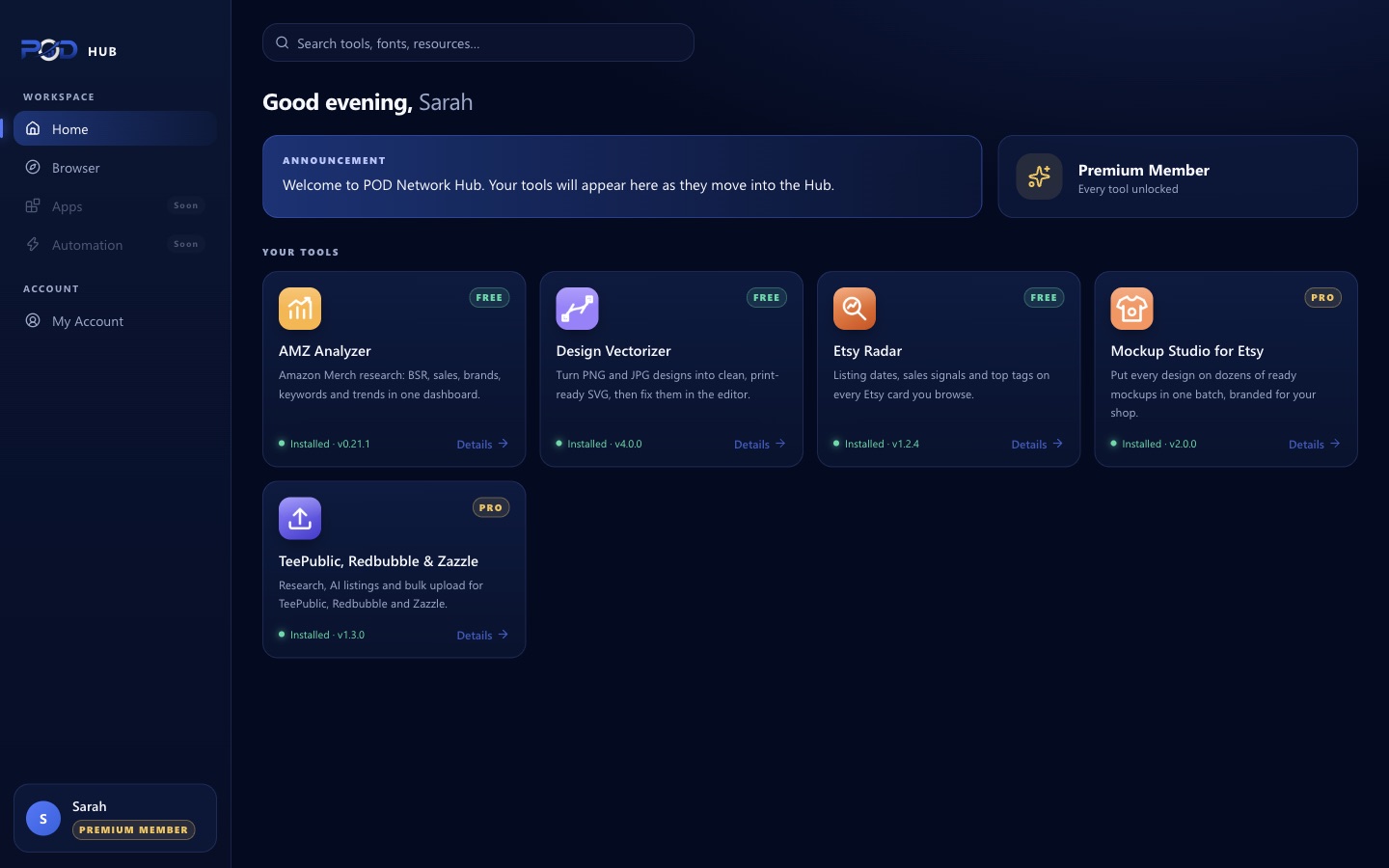
Everything you used in Chrome, now in one app.
No more installing extensions one by one, no more lost logins. The Hub keeps your tools, your marketplaces and your community together.
Your tools library
Every POD Network tool in one place. Click Install once; it updates by itself.
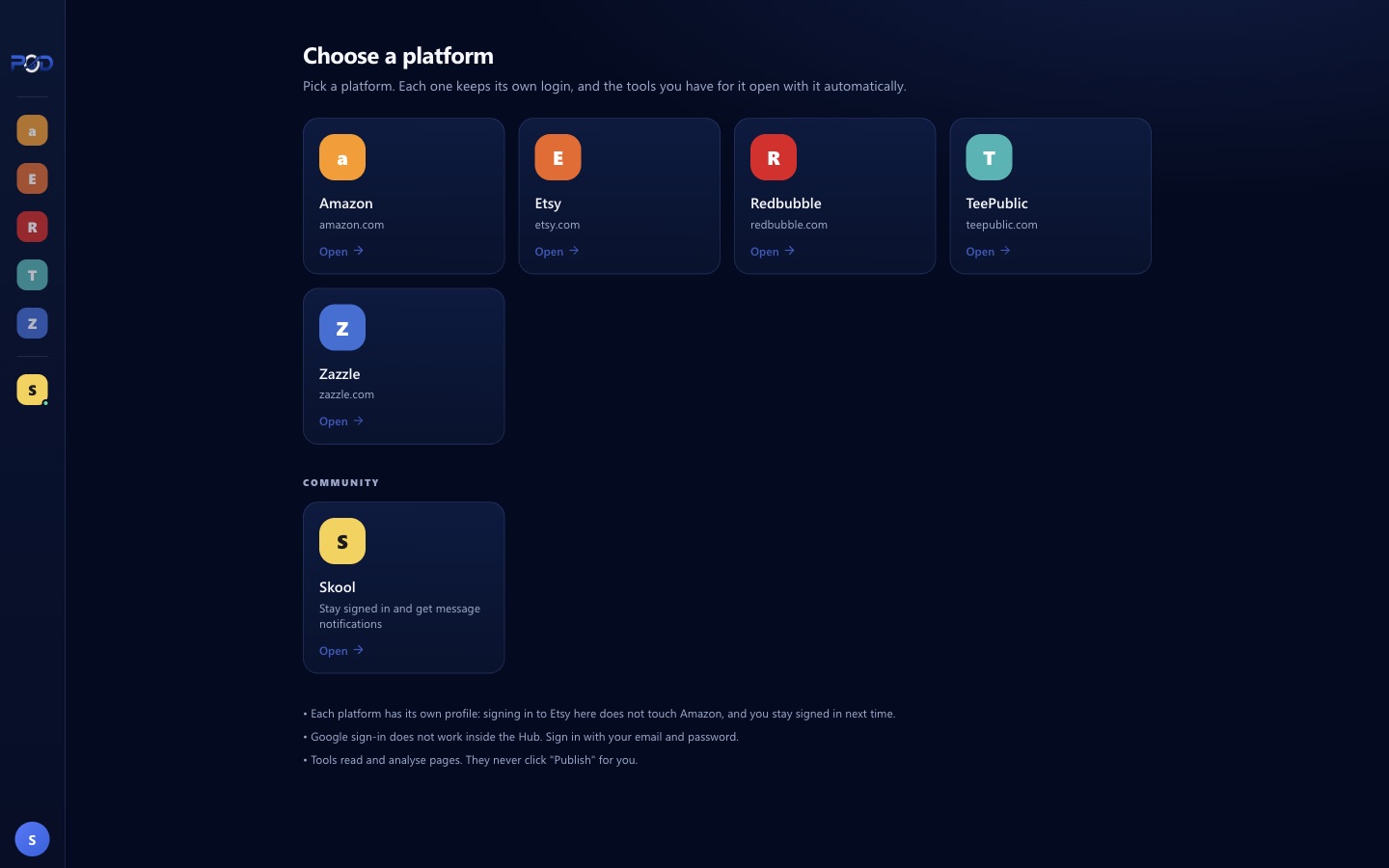
Built-in marketplace browser
Amazon, Etsy, Redbubble, TeePublic and Zazzle, each with its own login, plus the ™ check on any page.
Full Chrome extensions
One click downloads each tool's complete Chrome extension, every feature included, with a step-by-step guide to add it to Chrome.
™ trademark check
Select a phrase on any page and check it in the US, EU, UK, Canada and Australia registers.
Skool community
Stay signed in to the POD Network community and get message notifications.
Always up to date
The Hub and every tool update automatically. Your account and plan are managed in one place.
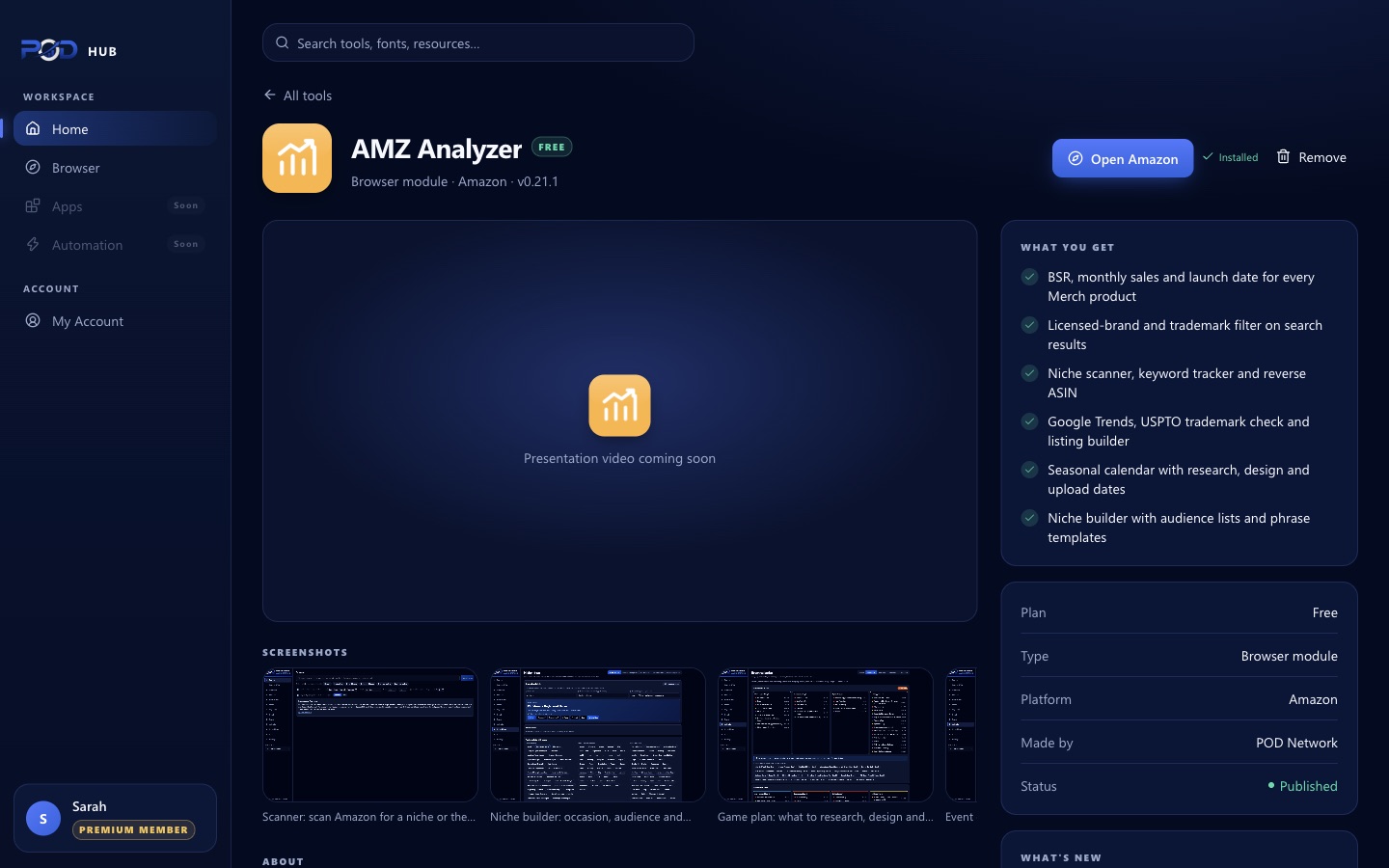
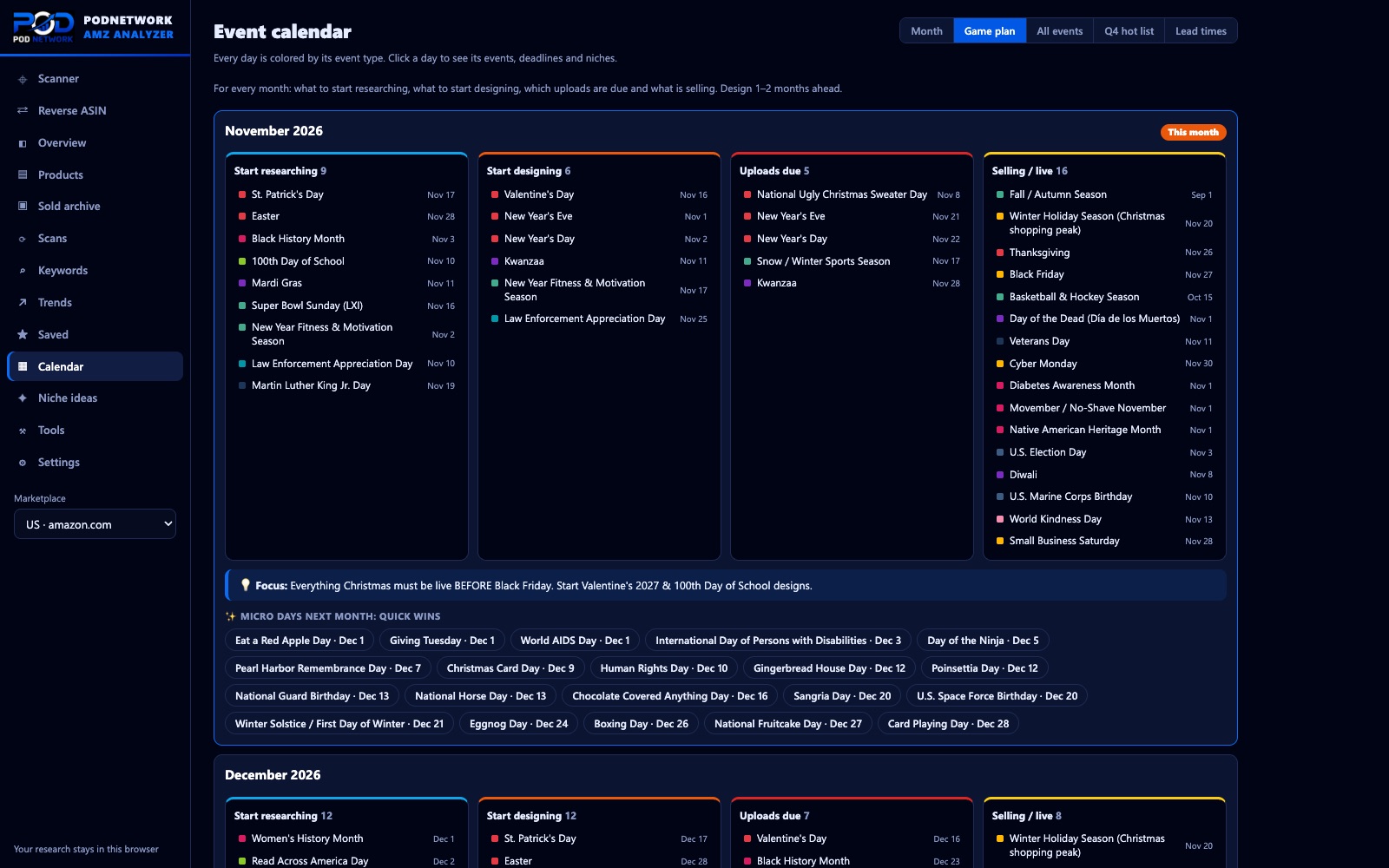
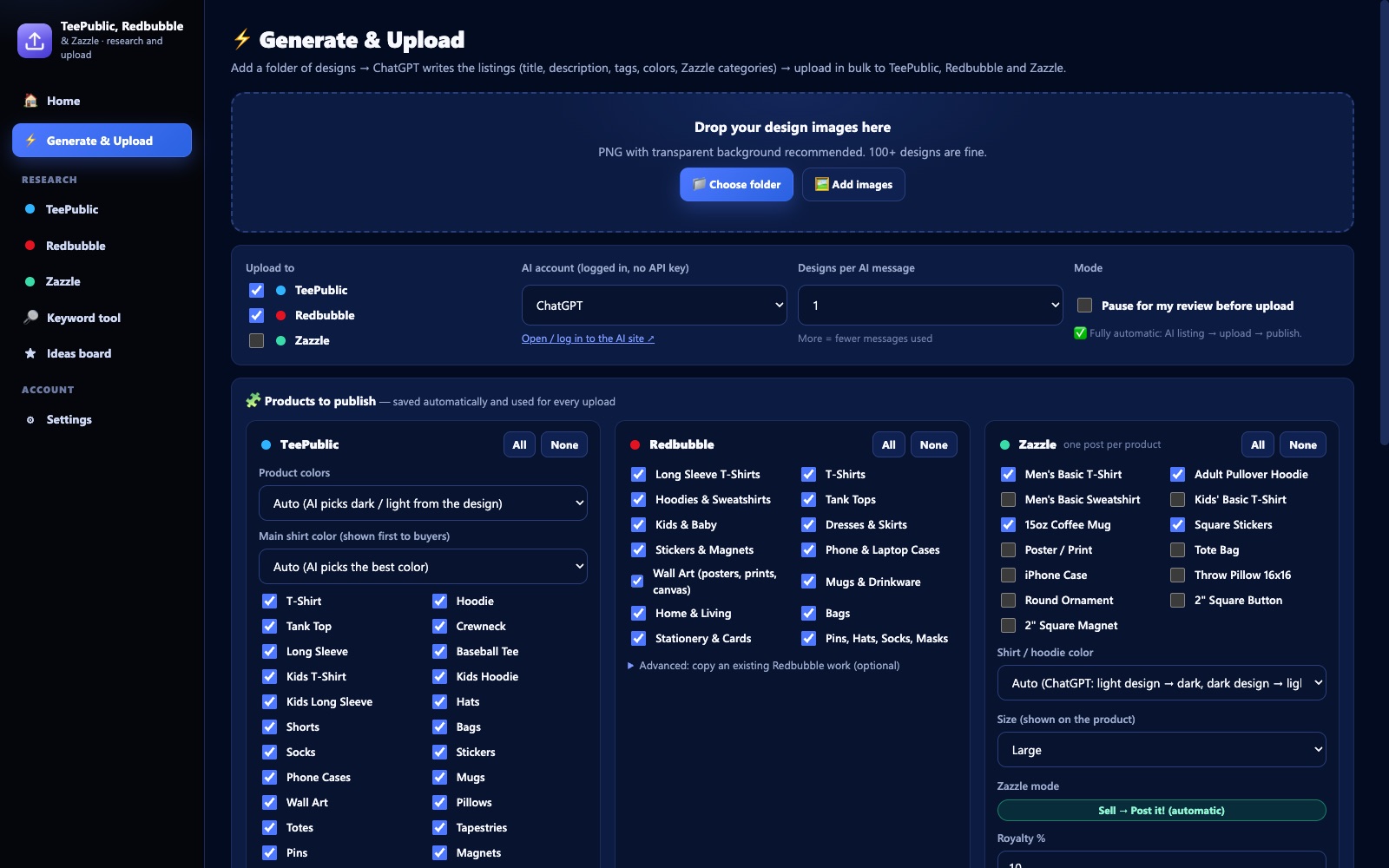
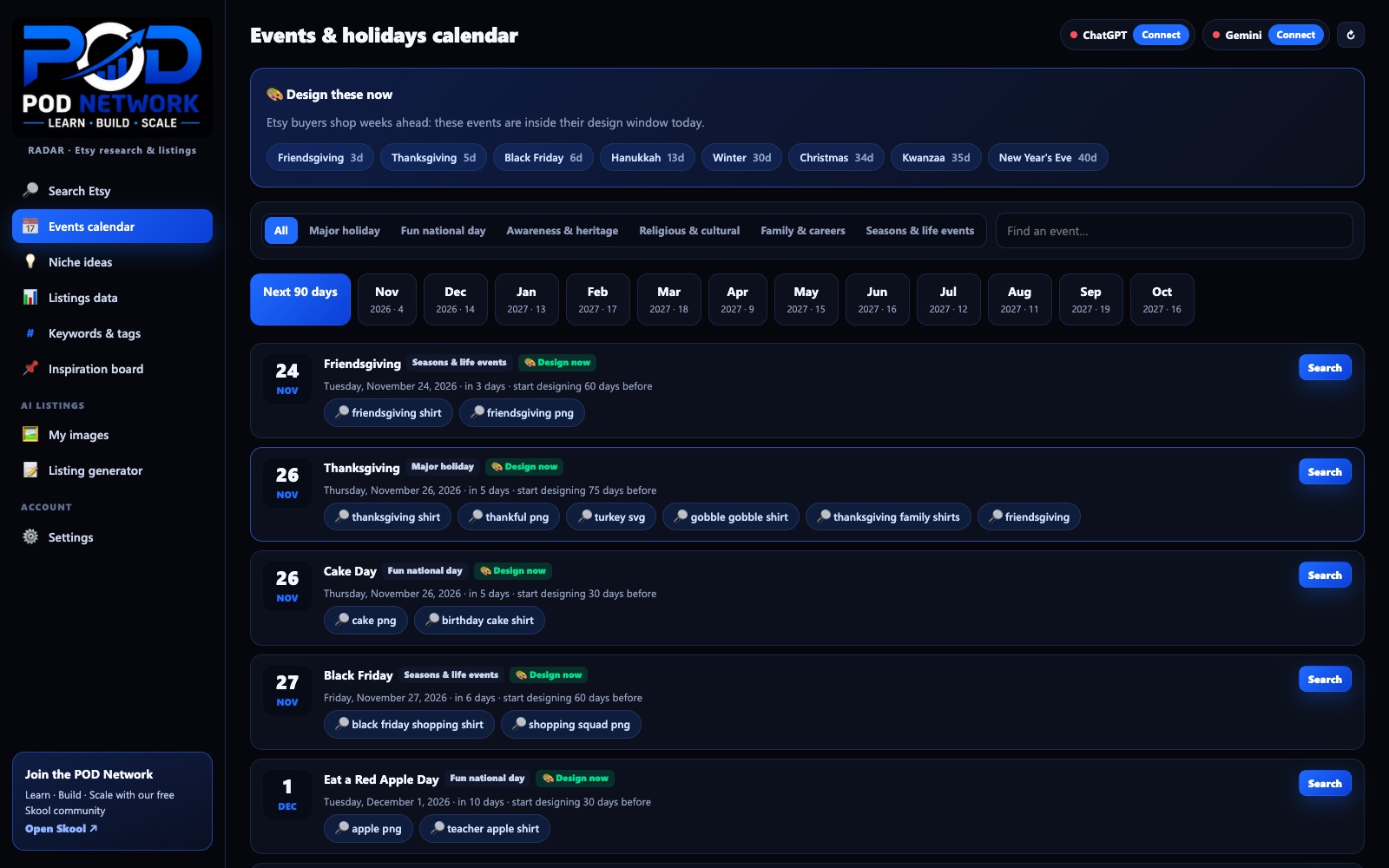
Research, listings and design for every marketplace.
The list grows as more POD Network tools move into the Hub.
See it before you install.
Ready in two minutes.
The Hub is not signed with a paid Apple or Microsoft certificate yet, so the first time you open it your computer asks you to confirm. That is expected; later updates install by themselves.
Download the installer
Click Download for Windows above. You get POD-Network-Hub-Windows.exe (about 100 MB).
Open it from your Downloads folder
If your browser warns that the file is not commonly downloaded, choose Keep.
Confirm on the blue "Windows protected your PC" screen
Click More info, then Run anyway. This screen appears because the app is new and not signed yet.
If it says "Smart App Control" instead
Some Windows 11 PCs have Smart App Control, which has no "Run anyway" button. If the message says an app "that may be unsafe" was blocked, open Start → Windows Security → App & browser control → Smart App Control settings and switch it Off, then open the installer again. (Most PCs do not have this on; you only need this if you saw that exact message.)
Install
Choose where to install (the default is fine) and click Install, then Finish. The Hub opens, and a shortcut is added to your desktop and Start menu.
Sign in
Use your podnetwork.store email and password. Open a tool, click Install, and you are ready.
Pick the right download for your Mac
Open the Apple menu → About This Mac. If the Chip line says Apple M1, M2, M3, M4… download Mac (Apple Silicon). If it says Intel, download Mac (Intel).
Open the .dmg and drag the Hub to Applications
Double-click the downloaded file, then drag POD Network Hub onto the Applications folder in the window.
Open it from Applications
The first time, macOS says it cannot check the app. Click Done (or OK).
Allow it once in System Settings
Open System Settings → Privacy & Security, scroll down to "POD Network Hub was blocked…" and click Open Anyway, then enter your Mac password. On older macOS you can also right-click the app → Open → Open.
Sign in
Use your podnetwork.store email and password. Open a tool, click Install, and you are ready.
Windows
- Windows 10 or 11, 64-bit
- About 400 MB free disk space
- Internet connection
Mac
- macOS 12 Monterey or newer
- Apple Silicon (M1 and newer) or Intel
- About 400 MB free disk space
Questions
Do I need a POD Network account?
Yes. The Hub is for POD Network members: sign in with the email and password of your podnetwork.store account. No account yet? Create one here.
Which tools can I open?
Free tools open for every member. PRO tools open for premium members and during a trial. The Hub shows your plan on its home screen.
How do the Chrome extensions work?
Tools like AMZ Analyzer, Etsy Radar and TeePublic, Redbubble & Zazzle are full Chrome extensions. On the tool's page in the Hub, click Get the Chrome extension: the Hub downloads it into Documents/POD Network Hub/Chrome extensions. In Google Chrome open chrome://extensions, switch on Developer mode, click Load unpacked and choose that folder. When a new version comes out, click Update in the Hub, then ↻ on the extension in Chrome.
Is it safe? Why does my computer warn me?
The warning appears because the app is new and is not signed with a paid Apple or Microsoft developer certificate yet. Download the Hub only from this page (podnetwork.store). It never asks for your marketplace passwords: you sign in to Amazon, Etsy and the others on their own pages, inside the Hub.
Windows blocked it with "Smart App Control"?
Smart App Control is a Windows 11 feature that blocks apps it does not recognise yet, and it has no "Run anyway" button. Open Start → Windows Security → App & browser control → Smart App Control settings and switch it Off, then open the installer again. Only some Windows 11 PCs have it on. We are working on signing the app so this step will not be needed.
Can I sign in to Etsy or Amazon with Google inside the Hub?
Google does not allow its sign-in inside apps like the Hub. Sign in to those sites with your email and password instead; the Hub remembers it.
How do I uninstall it?
Windows: Settings → Apps → POD Network Hub → Uninstall. Mac: drag POD Network Hub from Applications to the Trash.
Get POD Network Hub
One app, one login, every tool. Free for POD Network members on Windows and Mac.